The library lived on one machine.
A personal collection is only useful if it can follow you without needing to upload everything to a third-party streaming service.
 Studio
Studio project Casto
Casto is Brett’s personal work-in-progress side project: a self-hosted audio streaming ecosystem built for people who have their own digital music library, want to keep control of it, and do not want remote access to become a weekend networking project.

The brief
Casto started as a personal tool for streaming a local music collection, then gradually turned into a fuller product idea. The goal was not to build another giant media server. It was to make a focused music app for Apple users who already own digital files and want access to them at home, at work, in the car, or wherever they open a browser.
The hard part was hiding the technical seams. A local Mac has to scan and organize the library, serve playback, keep metadata consistent, pair with clients, and stay reachable outside the local network. The user should mostly experience that as: choose a music folder, connect your devices, press play.
A personal collection is only useful if it can follow you without needing to upload everything to a third-party streaming service.
Port forwarding, local IP changes, expired pairing codes, and network assumptions can make self-hosted tools feel fragile for normal people.
Artwork, artist names, album grouping, and track data all need one source of truth so the Mac, web, and iOS apps show the same library.
The experience depends on a macOS app, an iOS app, a browser client, and a cloud tunnel service all behaving like one calm system.
The product strategy
Casto is built around a simple ownership model: the Mac is the source of truth for the music library, metadata, pairing, and streaming. The iOS app, web app, and cloud tunnel are clients around that source, designed to make remote listening feel simple without taking the library out of the user’s control.
01 / Web listening
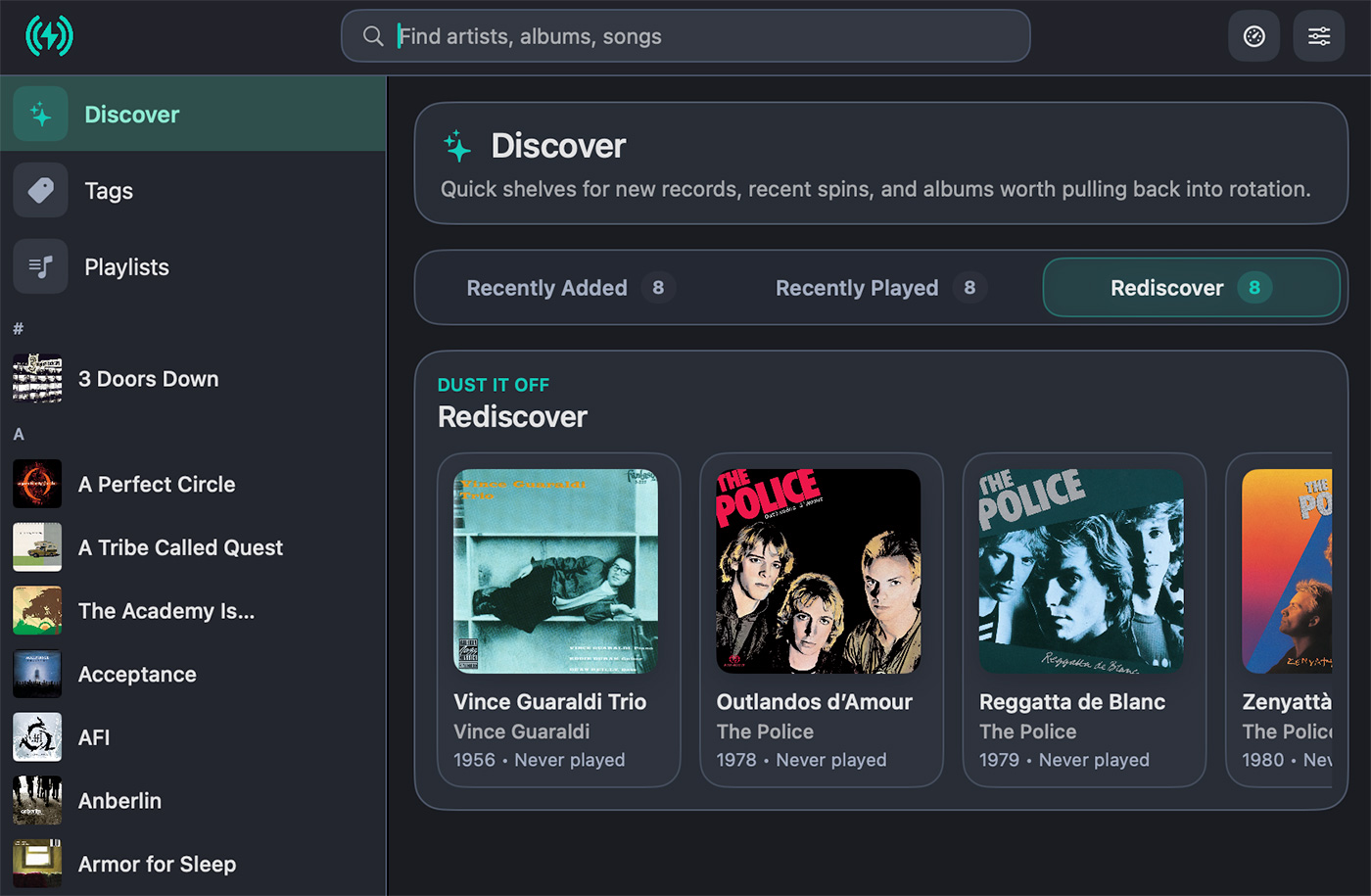
Casto’s web app turns any modern browser into a full listening client. The experience is intentionally visual and familiar: browse a wall of album art, move quickly through a large artist library, or search across artists, albums, and tracks without needing the Mac app in front of you.


02 / Native iOS client
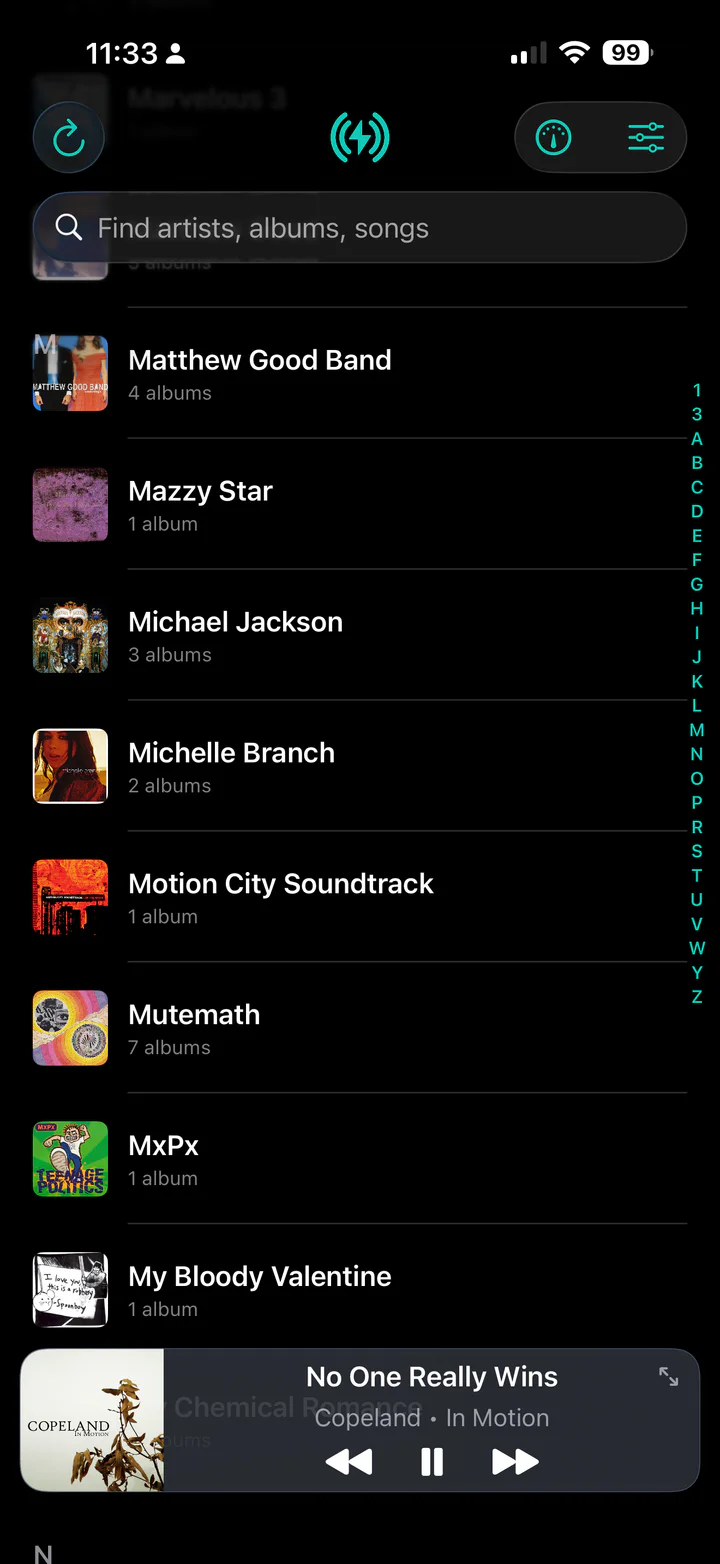
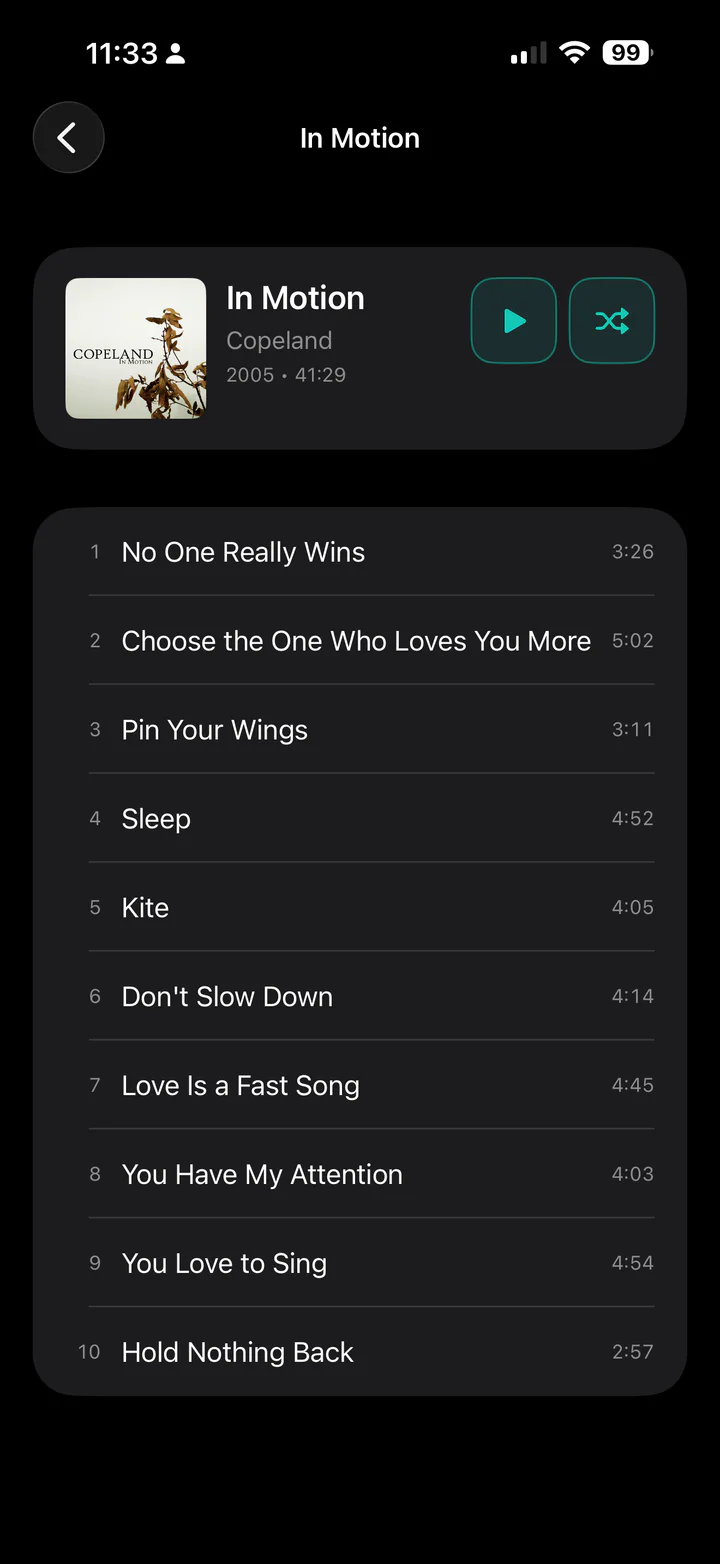
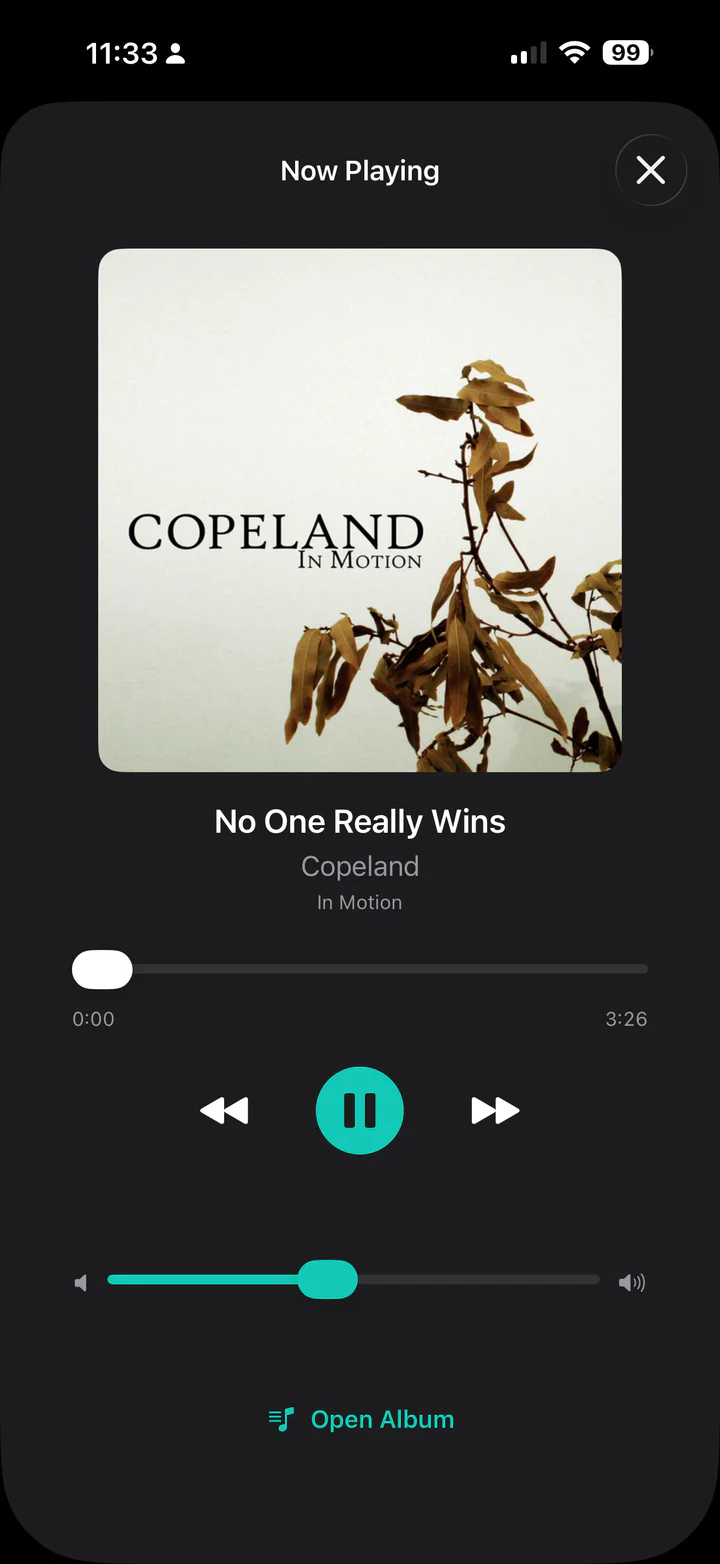
The iOS app brings the Mac-authored library into a focused mobile experience. Browsing is optimized for a large personal collection, album pages keep the artwork and track list together, and the player gives the music enough room to feel like the main event.
03 / A little personality
Casto is designed as a practical way to reach a personal library, but it does not have to feel like infrastructure. The browser visualizer turns the current track into a full-screen listening moment—an intentionally playful feature in a product that spends most of its time quietly doing the technical work.

The product outcome
Casto is still a work in progress, especially on the iOS side, but the shape is already clear: a Mac-hosted music library, a dedicated desktop experience, a web streaming client, a mobile app in development, and a cloud layer that makes self-hosted access less intimidating.
The user keeps the library on their own machine instead of handing everything to another platform.
Remote access is designed around pairing and tunneling rather than expecting users to become networking experts.
macOS, iOS, web, and cloud pieces are built as parts of the same product instead of separate experiments.
The bigger outcome
Casto is the kind of side project that keeps revealing the real product through use: connection reliability, FLAC playback, artwork consistency, cloud routing, mobile ergonomics, and the small details that make a self-hosted thing feel trustworthy. It is not finished, but it is becoming exactly the kind of useful, personal software BRETD Studio likes to make.
Visit Casto